A Standard Chart of Accounts for Australian Small Business, With a Table You Can Use
There is no single chart every Australian business must use, but there is a sensible standard shape. Here is a practical chart of accounts for small business, the GST points the ATO flags, and the structural rules that stop a file from sprawling.
Short Answer
Australian small businesses are not required to use one standard chart of accounts. A practical standard is five account types (assets, liabilities, equity, revenue, expenses) with 3-digit codes in ranges of 100, roughly 30 to 60 accounts, a default GST code on every account, and separate accounts for GST, payroll liabilities and owner drawings.
Last reviewed: November 2026
Key takeaways
- The ATO sets out what a business record must contain, but it does not prescribe the names or codes of a small business chart of accounts.
- The National Standard Chart of Accounts, hosted by the ACNC, is the closest published Australian standard, and it is voluntary.
- Xero's Australian guide says most small businesses do well with 30 to 60 accounts.
- Every account should carry a default GST code, because the account usually decides how a transaction is treated on the BAS.
- Unused accounts should be archived rather than deleted, so history is kept for the ATO's 5-year record retention period.
- Australian bookkeepers get cleaner reports, and more reliable automated coding, from a short, consistent chart than from a long, detailed one.
Ask ten bookkeepers for a standard chart of accounts and you get ten files, each with a different idea of where software subscriptions, merchant fees and the owner's car belong. The question keeps coming up because the default chart in most software is generic, and files drift as different people add accounts over the years. Our position is simple: a chart of accounts is a set of instructions for coding, not a description of the business. It should be short, consistent and built around what the BAS and the profit and loss need. That matters even more once software or dedicated AI for finance teams is doing the coding, because the chart is the rulebook it codes against.
Is there an official standard chart of accounts in Australia?
Not one that applies to small business. The ATO's overview of record-keeping rules for business says the minimum information on a record is generally the date, the amount, a description and the relevant GST information, the purpose of the transaction, and the relationships between the parties where relevant. It describes what a record must show. It does not tell a business what its accounts should be called or how they should be numbered.
The closest thing to a published national standard is the National Standard Chart of Accounts (NSCOA), hosted by the ACNC. The ACNC describes it as a free data entry tool and data dictionary for charities and other not-for-profits, developed by the Australian Centre for Philanthropy and Nonprofit Studies at QUT. It says all Australian governments have agreed to accept NSCOA when requesting information from not-for-profits, that using it is not compulsory, and that any organisation is able to adopt it. The current version is dated May 2024.
NSCOA is worth reading even if you never use it, because it shows how a standard chart is built. The ACNC says its numbering follows a generally accepted approach of assets as 1, liabilities as 2 and so on, that not every account is needed by every organisation, and that organisations can add accounts, create sub-accounts or use cost centres. For a trading small business, though, it is built around grant acquittals and not-for-profit reporting, which is more than most need.
What are the five account types in a chart of accounts?
Assets, liabilities, equity, revenue and expenses. Xero's Australian guide to the chart of accounts says every account falls into one of these five categories, and that they line up with the two core financial statements. Assets, liabilities and equity appear on the balance sheet. Revenue and expenses appear on the profit and loss.
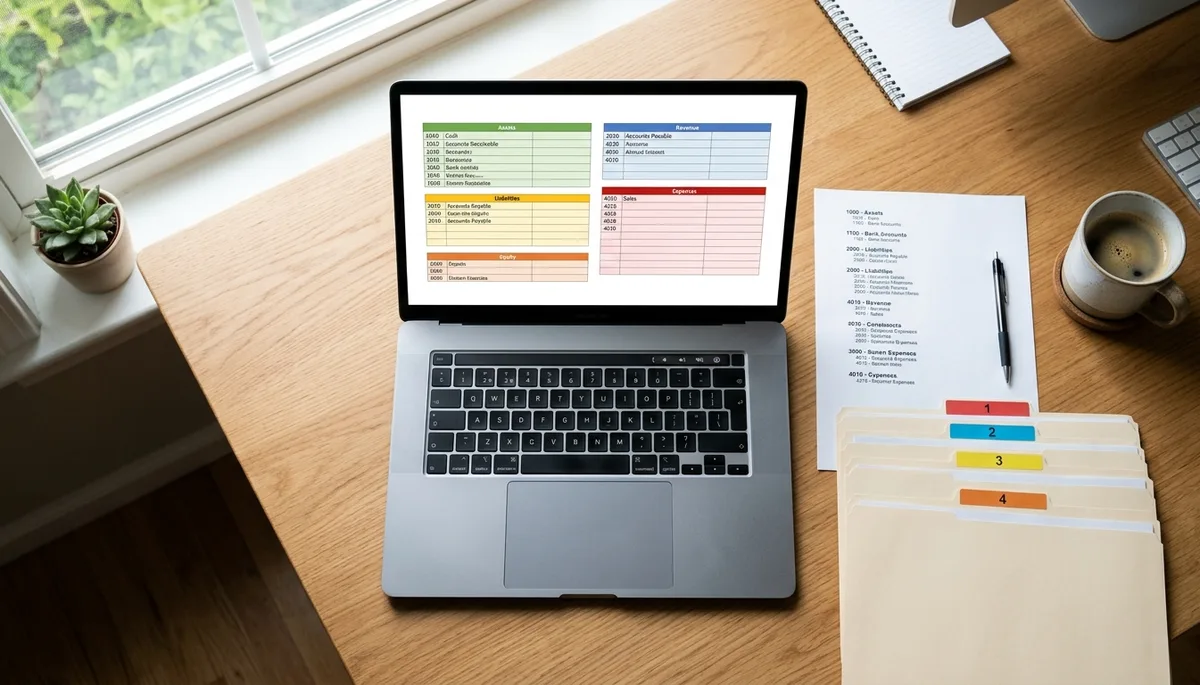
The same guide describes a simple 3-digit numbering convention: 100 to 199 for assets, 200 to 299 for liabilities, 300 to 399 for equity, 400 to 499 for revenue and 500 to 599 for expenses. A 5-digit system gives more room for departments or locations, but most small businesses do not need it. Note that software defaults vary, and your existing file may use a different range. Consistency inside one file matters far more than which convention you pick.
What should a standard small business chart of accounts include?
Roughly 30 to 60 accounts, grouped by type, with a default GST treatment on each. Xero's guide says most small businesses do well with 30 to 60 accounts, and that matches what we see. The table below is Agentive's suggested starting chart for an Australian service or light retail business registered for GST. It is a template, not an ATO requirement. The GST column reflects the ATO's general guidance and is the default only: individual transactions still need checking.
| Code | Account | Type | Default GST treatment |
|---|---|---|---|
| 100 | Business cheque account | Asset (bank) | Not applicable |
| 110 | Business savings or tax account | Asset (bank) | Not applicable |
| 120 | Accounts receivable | Asset | System account |
| 130 | Inventory (only if you hold stock) | Asset | GST on purchases (trading stock) |
| 140 | Payment processor clearing | Asset | BAS excluded |
| 150 | Office and computer equipment | Fixed asset | GST on purchases (capital) |
| 160 | Motor vehicles | Fixed asset | GST on the taxable components only |
| 170 | Accumulated depreciation | Fixed asset (contra) | BAS excluded |
| 200 | Accounts payable | Liability | System account |
| 210 | GST | Liability | System account |
| 220 | PAYG withholding payable | Liability | BAS excluded |
| 230 | Superannuation payable | Liability | BAS excluded |
| 240 | Wages payable (payroll clearing) | Liability | BAS excluded |
| 250 | Business credit card | Liability (bank) | Not applicable |
| 260 | Income tax payable | Liability | BAS excluded |
| 270 | Business loan | Liability | BAS excluded |
| 300 | Owner or shareholder capital | Equity | BAS excluded |
| 310 | Retained earnings | Equity | System account |
| 320 | Owner drawings (sole trader or partnership) | Equity | BAS excluded |
| 400 | Sales: services | Revenue | GST on income |
| 410 | Sales: products | Revenue | GST on income |
| 420 | Sales: GST-free (only if you make them) | Revenue | GST-free income |
| 450 | Interest received | Other income | Input taxed (financial supply) |
| 500 | Cost of goods sold | Direct cost | GST on expenses |
| 510 | Subcontractors | Direct cost | GST on expenses (if the supplier is registered) |
| 520 | Wages and salaries | Expense | BAS excluded |
| 530 | Superannuation | Expense | BAS excluded |
| 540 | Rent | Expense | GST on expenses (commercial lease) |
| 550 | Electricity, phone and internet | Expense | GST on expenses, override to the GST on the invoice |
| 560 | Insurance | Expense | GST on the premium component only |
| 570 | Software subscriptions | Expense | Check each supplier's invoice |
| 580 | Advertising and marketing | Expense | GST on expenses |
| 590 | Accounting and legal fees | Expense | GST on expenses |
| 600 | Motor vehicle running costs (fuel, servicing) | Expense | GST on expenses, business portion only |
| 610 | Motor vehicle registration | Expense | GST on the insurance component only |
| 620 | Domestic travel | Expense | GST on expenses, business portion only |
| 630 | Bank fees | Expense | BAS excluded |
| 640 | Merchant and payment processing fees | Expense | Check the processor's tax invoice |
| 650 | Interest paid | Expense | BAS excluded |
| 660 | Depreciation | Expense | BAS excluded |
| 670 | Office supplies and general expenses | Expense | GST on expenses |
| 680 | Entertainment (non-deductible) | Expense | BAS excluded |
That is 42 accounts, inside Xero's 30 to 60 range. Expenses run past 599 here because a service business tends to need more expense lines than the strict 3-digit ranges allow; if your software enforces the ranges, use 5-digit codes instead. Two design choices are deliberate. Payment processor clearing exists so that gross sales and processor payouts are never both coded to income, and a payroll clearing account lets each pay run be checked to zero. Our guide to diagnosing duplicate deposits and payroll debits shows why both accounts earn their place.
How should GST be set up on each account?
Give every account a default tax code that matches what usually goes through it. In most Australian accounting software the account a transaction lands in sets its default GST treatment, so a wrong default repeats the same error on every BAS. The ATO's Simpler BAS GST bookkeeping guide, developed with the Institute of Certified Bookkeepers and the BAS Agent Association Group, is the best single reference for those defaults.
The guide lists items that are not reported on the BAS for GST purposes, including salary and wages, superannuation, bank fees and charges, interest paid, depreciation, dividends received, fines, donations, stamp duty and non-deductible entertainment. Accounts that only ever hold those items should default to a BAS-excluded or no-GST code. The guide also says a valid tax invoice is required to claim a GST credit on purchases over $82.50.
Mixed invoices are where defaults break. For electricity, phone and internet bills, council rates and insurance, the ATO guide says to code the total as GST and manually override the GST amount to the GST shown on the invoice. For motor vehicles, it says GST credits are not claimable on stamp duty or government registration fees, and that the vehicle and insurance are entered in separate accounts. That is why the template separates registration from running costs. Our walkthrough on preparing the BAS in Australia covers the checks that should sit on top of these defaults before lodgment.
Where do owner drawings and private spending go?
In their own equity or loan account, never in an expense account. The same ATO guide says private expenses are entered in a private account, such as drawings, and business expenses in a business expense account, and that you must apportion mixed private and business use accurately. A drawings account keeps personal spending out of the profit and loss and out of GST credits.
The right account depends on the structure. A sole trader or partnership uses drawings. A company usually needs a director or shareholder loan account, and money taken by a shareholder can have tax consequences that an accountant must look at. Our article on owners spending business money without receipts covers what a bookkeeper should do when personal spending turns up in the business account.
How do you set up or clean up a chart of accounts?
Start from the software default, cut, then add only what reports or lodgments need. The order below works for a new file and for a file that has grown untidy:
- List what the reports must answer. Which numbers does the owner check monthly, and what does the BAS need? Every account should serve one of those.
- Start from the default chart. Keep the system accounts (receivables, payables, GST, retained earnings) exactly as the software sets them up.
- Remove what does not apply. No stock means no inventory account. No staff means no payroll liabilities yet.
- Add the business-specific lines. Separate revenue streams the owner manages separately, and a clearing account for each payment processor.
- Number with gaps. Use steps of 10 so new accounts slot in without renumbering.
- Set a default GST code on every account. Check each one against the ATO bookkeeping guide.
- Map old to new before changing anything. On an existing file, write down where each old account's balance and future transactions will go.
- Archive, do not delete. Retire unused accounts so their history stays readable.
- Agree it with the accountant. The year-end accountant should sign off the structure before the year's transactions go in.
Step 8 is about more than tidiness. The ATO's record-keeping overview says most records must be kept for 5 years, and that you need to be able to reconstruct your original data if your record-keeping system changes. Its page on records to keep for longer than five years adds that records for depreciating assets are generally kept for as long as you have the asset plus another 5 years after disposal. Deleting accounts makes that harder. If the file is so far gone that restructuring the chart feels like starting again, read our guide on whether to catch up messy books or start fresh first.
What are the most common chart of accounts mistakes?
Too many accounts, accounts named by supplier, and catch-all accounts that quietly grow. The patterns Australian bookkeepers see most often are:
- One account per supplier. Supplier detail belongs on the contact, not in the chart. An account called after one vendor stops making sense the day you change vendors.
- A growing "general expenses" or "sundry" account. If it is more than a small share of expenses, something there deserves its own line.
- Near-duplicates. "Software", "Subscriptions" and "IT costs" side by side guarantee that the same spend lands in three places. Xero's guide warns that duplicate accounts split your data and distort your reports.
- Capital purchases coded as expenses. The ATO guide says to check that capital purchases are allocated to the appropriate capital account.
- Owner spending in expense accounts. It inflates expenses, claims GST credits that are not available and hides a loan account balance.
- Restructuring mid-year. Changing accounts halfway through a year makes the year's comparisons meaningless. Plan changes for 1 July.
Why does the chart of accounts matter more when AI does the coding?
Because the chart is the set of choices an automated coder chooses between. If two accounts mean almost the same thing, a person picks one by habit and an automated system picks one by probability, and over a year the split gets worse. Agentive's view, from building AI bookkeeping for Australian businesses, is that the fastest gain in coding accuracy usually comes from a cleaner chart, not a smarter model. Fewer, clearer accounts with a written rule for each give both people and software less room to disagree.
As an illustration, consider a hypothetical file with "Software", "Subscriptions" and "Computer expenses" all in use. A monthly design tool subscription could land in any of the three, and each month the coder has to guess which one the bookkeeper prefers. Merge them into one "Software subscriptions" account with a note on what belongs there, and the same transaction has one right answer. Our article on whether you can trust AI to categorise transactions goes further into where automated coding is reliable, and the Agentive finance skill page describes the wider finance work our dedicated AI carries.
Where that AI runs matters too, because a general ledger holds every supplier, customer and wage figure a business has. Agentive's AI Employee runs on a dedicated single-tenant server on AWS Sydney, with client data stored onshore and never used to train models. Our piece on AI security and data governance in Australia explains why that design matters, and the Agentive AI Employee overview covers the rest.
A chart of accounts should be boring
There is no compulsory chart for Australian small business, and that is an advantage: you can build one that fits. Use the five account types, number with gaps, stay within roughly 30 to 60 accounts, set a default GST code on every line using the ATO's bookkeeping guide, keep owner spending in equity or a loan account, and archive instead of deleting. Review it once a year, change it on 1 July, and write down what each account is for. A boring chart produces reports people trust.
Bring Us the Chart of Accounts That Grew Out of Control
Agentive builds dedicated AI for Australian small businesses, bookkeepers and BAS agents. Each AI Employee runs on a dedicated single-tenant server on AWS Sydney, client data is stored onshore and never used to train models. Bring a chart of accounts you would like to simplify to the call and we will walk through how the coding and review would run.